

How to check a USDT transaction on a block explorer
By the Flipperr team · Last updated:
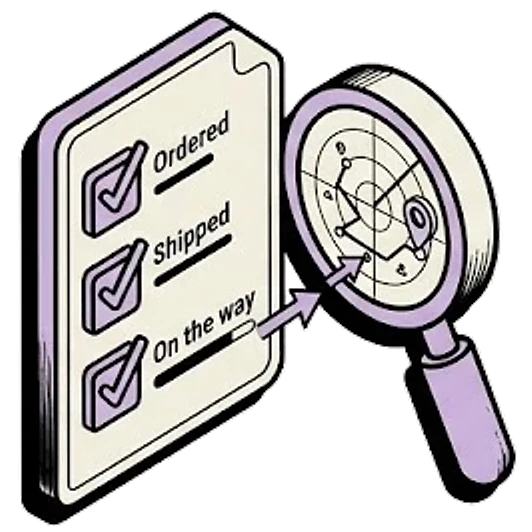
A block explorer is a public website that shows every transaction on one blockchain. With a transaction hash and the right explorer, you can see for yourself whether USDT was sent, where it went and whether it was real USDT, without waiting on anyone's support team.
Find the transaction hash
The hash is the unique name of one transaction. You'll also see it called the TxID or transaction ID, and on Solana, the signature.
- In a self-custody wallet, open the transaction in your activity list. There's usually a hash to copy or a link to the explorer.
- On an exchange, open your withdrawal or deposit history; the hash is usually labelled TxID. If it says “internal transfer” instead, the move happened inside the exchange's own records and never touched a blockchain, so no explorer will show it.
- On Flipperr, once a swap completes, the order page shows View transaction, which opens the payout to you on the explorer of the chain you received on. Lost the page? Track your order with your order ID and receiving wallet.
The hash's shape hints at the network family. On Ethereum, BNB Smart Chain, Polygon, Arbitrum and Base, it's 0x followed by 64 characters. On TRON, it's 64 characters with no 0x. On Solana, it's a longer string of letters and numbers.
Open the right explorer
An explorer only shows its own chain. A hash from BNB Smart Chain won't be found on Etherscan, even though both use 0x, so search on the explorer for the network the transaction used. Each one is listed below, with the USDT and USDC contracts Flipperr uses on that network.
TRON
TRC20- Receiving address
- Starts with T, 34 characters
- Gas coin (to move it later)
- TRX
- Explorer
- Tronscan
- Tokens
- USDT only
USDT contract
TR7NHqjeKQxGTCi8q8ZY4pL8otSzgjLj6tBNB Smart Chain
BEP20- Receiving address
- Starts with 0x, 42 characters (same format as Ethereum, Polygon, Arbitrum and Base)
- Gas coin (to move it later)
- BNB
- Explorer
- BscScan
- Tokens
- USDT and USDC
USDT contract
0x55d398326f99059fF775485246999027B3197955USDC contract
0x8AC76a51cc950d9822D68b83fE1Ad97B32Cd580dEthereum
ERC20- Receiving address
- Starts with 0x, 42 characters (same format as BNB Smart Chain, Polygon, Arbitrum and Base)
- Gas coin (to move it later)
- ETH
- Explorer
- Etherscan
- Tokens
- USDT and USDC
USDT contract
0xdAC17F958D2ee523a2206206994597C13D831ec7USDC contract
0xA0b86991c6218b36c1d19D4a2e9Eb0cE3606eB48Polygon
Polygon PoS- Receiving address
- Starts with 0x, 42 characters (same format as Ethereum, BNB Smart Chain, Arbitrum and Base)
- Gas coin (to move it later)
- POL
- Explorer
- Polygonscan
- Tokens
- USDT and USDC
USDT contract
0xc2132D05D31c914a87C6611C10748AEb04B58e8FUSDC contract
0x3c499c542cEF5E3811e1192ce70d8cC03d5c3359Arbitrum
Arbitrum One- Receiving address
- Starts with 0x, 42 characters (same format as Ethereum, BNB Smart Chain, Polygon and Base)
- Gas coin (to move it later)
- ETH
- Explorer
- Arbiscan
- Tokens
- USDT and USDC
USDT contract
0xFd086bC7CD5C481DCC9C85ebE478A1C0b69FCbb9USDC contract
0xaf88d065e77c8cC2239327C5EDb3A432268e5831Base
Base Mainnet- Receiving address
- Starts with 0x, 42 characters (same format as Ethereum, BNB Smart Chain, Polygon and Arbitrum)
- Gas coin (to move it later)
- ETH
- Explorer
- BaseScan
- Tokens
- USDC only
USDC contract
0x833589fCD6eDb6E08f4c7C32D4f71b54bdA02913Solana
SPL- Receiving address
- 32 to 44 letters and numbers, no fixed prefix
- Gas coin (to move it later)
- SOL
- Explorer
- Solscan
- Tokens
- USDT and USDC
USDT contract
Es9vMFrzaCERmJfrF4H2FYD4KCoNkY11McCe8BenwNYBUSDC contract
EPjFWdd5AufqSSqeM2qN1xzybapC8G4wEGGkZwyTDt1v
Paste the hash into the explorer's search box. If nothing is found, it's usually the wrong explorer, a hash copied with a character missing, or a transaction that hasn't been broadcast yet.
Read the transaction
- Status, near the top. Success (on some explorers shown with a confirmation state such as Confirmed or Finalized) means the network accepted it. Failed or Reverted means it didn't happen: the tokens never moved, though the network fee was still paid. Pending means it isn't in a block yet.
- Token. A USDT transfer shows a token transfer line; Etherscan calls it “ERC-20 Tokens Transferred”, BscScan “BEP-20 Tokens Transferred”. Click the token and compare its contract with the table above. The name alone proves nothing.
- From and to. On the 0x networks, the transaction's own To field is usually the USDT contract, because a token transfer is a call to that contract. The real recipient is in the token transfer line.
- Amount. The amount in the token transfer line is what actually moved. If an exchange took its withdrawal fee out of the amount, this is what's left.
- Fee. Shown in the network's gas coin (TRX, BNB, ETH, POL or SOL). On TRON, the fee can show as energy and bandwidth used rather than TRX burned.
- Time and confirmations. When it was included, and how many blocks have been added since.
Spotting fake USDT
Anyone can create a token and call it USDT, with the same symbol and even the same logo. A screenshot, or a balance in an app someone sent you, proves nothing either.
- Check the contract, not the name. The USDT Flipperr sends and accepts has one contract on each of its six networks, listed in the table above. A token at any other contract is a different token, whatever it's called: a bridged copy or a fake.
- Watch for address poisoning. Scammers send tiny or zero-value transfers from addresses that start and end like yours or your contacts', so that a look-alike sits in your history. Copy addresses from the source, never from history.
- Ask for the hash and check it yourself, especially in P2P trades.
Before you treat a payment as received, check four things on the explorer: the status is Success, the token contract matches, the recipient is your address, and the amount is right. All four, every time.
Success on the explorer, but nothing in my account
- Exchanges wait for their own number of confirmations before crediting, so a transaction marked Success can still be waiting for those.
- Check that the recipient on the explorer is exactly your deposit address, on a network the exchange lists. A deposit on a network it doesn't list isn't credited automatically. See sent on the wrong network.
- In a self-custody wallet, the token may just be hidden. Switch to the right network, or add the token by its contract.
- Still missing after the exchange's usual wait? Contact its support with the hash.
Flipperr order statuses and the explorer
- Awaiting deposit: your deposit hasn't been seen yet. If you've sent it, check its hash on the explorer of the network you sent on. If it's Success and went to the deposit address, the order moves on once our liquidity partner sees it. If the order page shows Expired by then, message support with your order ID and the hash.
- Confirming: the deposit has been seen and is waiting for network confirmations.
- Exchanging, then Sending to you: our liquidity partner is working on the payout.
- Completed: the payout has been sent. View transaction opens it on the explorer. It can take a minute to show in your wallet.
- On hold: our liquidity partner put the swap on hold, for a check or because less arrived than the order asked for. Message support with your order ID.
- Failed: the swap didn't go through. Message support with your order ID.
- Refunded: your deposit was refunded. Questions? Message support with your order ID.
- Expired: no deposit arrived within the window (10 minutes for USDT or USDC, 45 for a coin). Don't send anything to that address now. If you already did, message support with your order ID and the hash.
Lost the order page? Track your order with your order ID and receiving wallet. Starting a new swap? Pick a route.
Questions
- How do I check a TRC20 hash?
- Paste it into the search box on Tronscan. A TRON hash is 64 characters with no 0x. Then check that the status is a success, the token contract is USDT's, and the recipient is the right T-address.
- The explorer says success but my exchange shows nothing. Why?
- Usually the exchange is still waiting for its required confirmations, or the deposit went on a network it doesn't list for that address. What to check.
- How do I tell if the USDT I received is fake?
- Open the transaction and click the token: its contract must match USDT's on that network. The name and logo prove nothing. Spotting fake USDT, and every USDT and USDC contract.